Step-by-Step Guide
- Open the SiratSync app on your device
- Navigate to Settings from the main menu
- Scroll to the Danger Zone section
- Tap on Delete Account
- Confirm your decision on the verification screen
Google Login Users
No password required from SiratSync when deleting your account.
If your Google session has expired, you may be prompted to re-authenticate with Google before proceeding.
Email/Password Users
You will be asked to enter your account password to confirm deletion.
This is a security measure to prevent unauthorized account deletion.
Visual Guide
Follow these screenshots to locate the delete account option in the app. The images below show exactly where to find the settings and delete options.
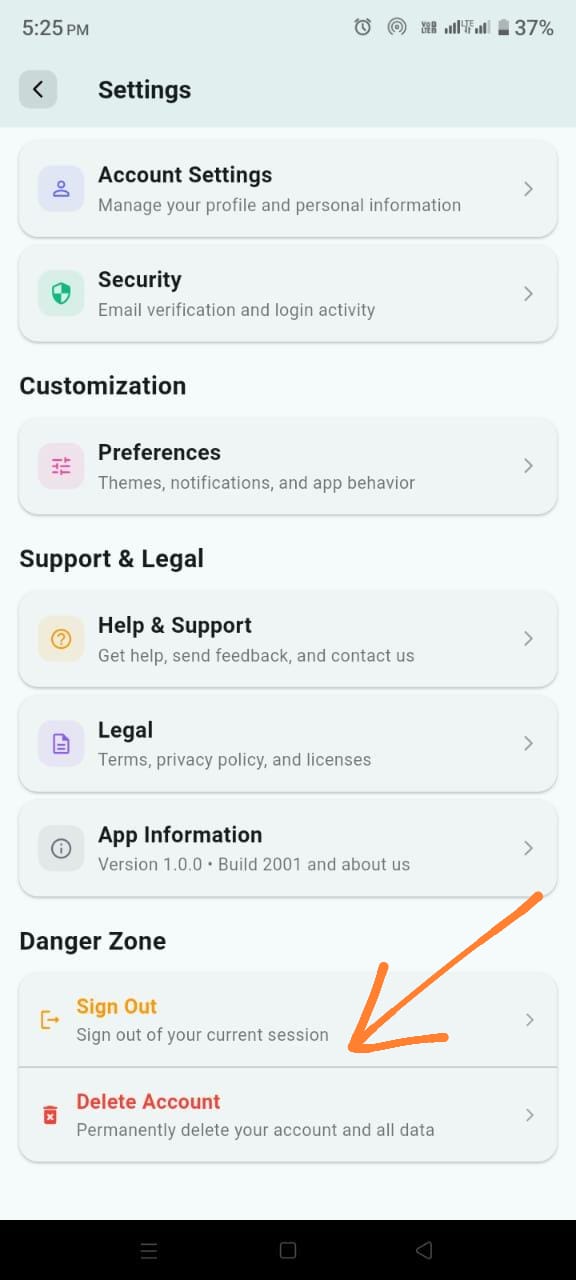
Settings Screen
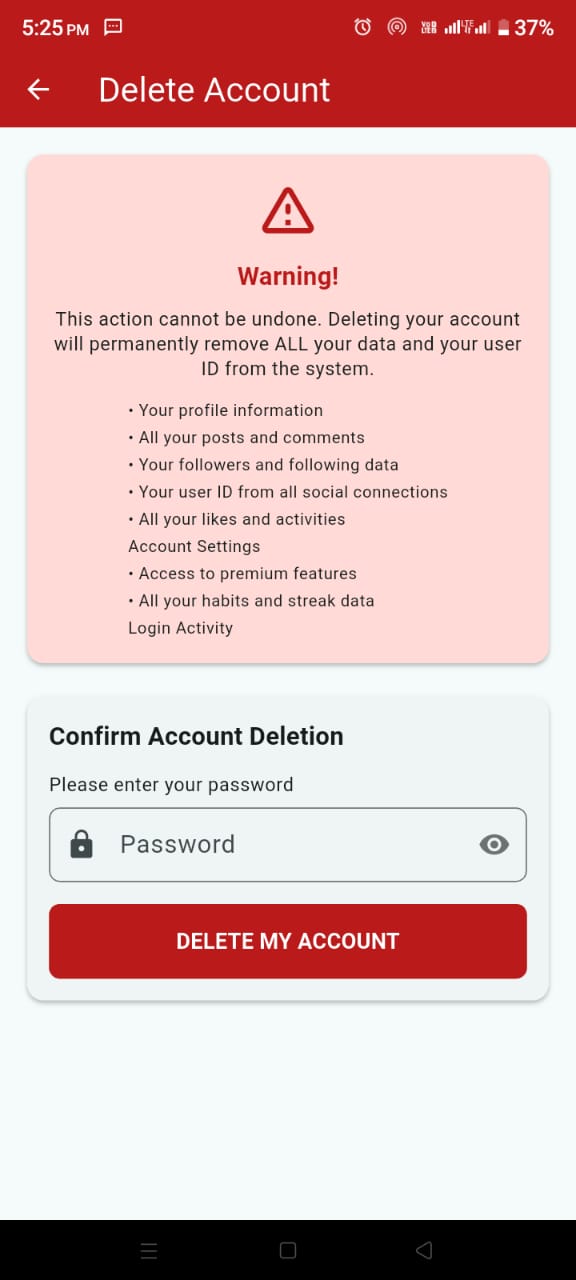
Delete Account Screen
What Gets Deleted
When you delete your SiratSync account, the following data will be permanently removed from our servers:
- Your complete user profile and account information
- All habit tracking data and streak progress
- App settings and customization preferences
- Community posts and interactions (if applicable)
- All analytics and usage data associated with your account
Consider Alternatives
Before deleting your account, consider these alternatives:
- Take a break: Simply uninstall the app and reinstall later
- Reset data: Clear your progress while keeping your account
- Disable notifications: Turn off reminders instead of deleting
Need Help?
If you're having trouble deleting your account or have questions about the process, contact our support team.